




PCI Compliance for WP-Ecommerce

Published: September 30, 2011
Share on LinkedIn Share on Twitter Share on Facebook Click to print Click to copy url
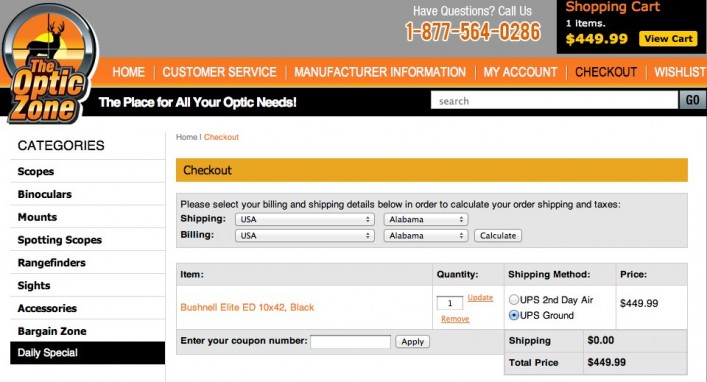
We recently designed and built an e-commerce website for a client using WordPress and the WP e-Commerce plug-in as our platform. We customized the heck out of GetShopped’s WP E-commerce plug-in because our client had some very specific and intricate requirements for calculating shipping, and thankfully we found the plug-in pretty easy to modify. The AJAX functionality, coupon code customizations, and flexible payment gateways (among other things) all seemed really well built. You can see the website here: The Optic Zone.
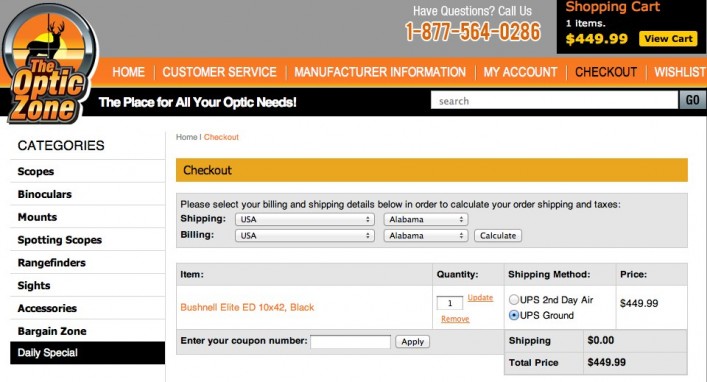
One of the requirements for the website was that it must be PCI compliant. PCI is short for Payment Card Industry, and specifically the PCI Data Security Standard. It is a set of server, website, and business requirements to ensure that the website and credit card data are secure from hackers. The major merchant account websites that businesses use to process credit card payments require their customers have PCI compliant websites.
Related Content:
We did a lot of searching for information on PCI compliance for WP E-commerce, but there wasn’t a whole lot out there to find. So, I thought I’d document some of the things that helped us pass the client’s SecurityMetrics automated scan.
Website Architecture
Here are a few particulars you should know about our website architecture:
- Server: Hosting was on a VPS from a well-known VPS hosting company. It is the only website hosted on this particular virtual machine.
- Operating System: We are running the latest version of a well known Linux OS. For security reasons, I won’t give it here, but its a popular one.
- WordPress: We are running the later version of WordPress – (at this time, WP 3.2.1, although we’ll continually upgrade as new versions are released)
- WP e-Commerce Plug-in: For security reasons, I don’t want to give the WP E-commerce version we are using (but its inconsequential for gaining PCI compliance anyway)
- WP Plugins: We run a couple of popular WP plug-ins, but not a ton.
Selective SSL
We used the WordPress plug-in HTTPS for WordPress to put SSL on specific pages. This meant that the site was simply in ‘HTTP’ most of the time your were browsing, but as soon as you viewed your cart or hit a login page, it switched to ‘HTTPS’ and stayed that way. We found this met our needs nicely as we didn’t really feel it was necessary to put the whole site under ‘HTTPS’. Configuring it this way was PCI compliant, and didn’t add the extra weight of being a completely ‘HTTPS’ website.
Automated PCI Compliance Scan
Our client hired SecurityMetrics to review their PCI compliance. The client fell into ‘PCI Compliance Level 4’, which basically meant that they had to pass the automated security scan and a business assessment test to be deemed compliant. The first time the site was run through the scan it failed – but none of the flagged issues had anything to do with the website software; all issues were server setting and versioning related. We were able to fix most of the issues pretty quickly by hand. Again, we didn’t have to change anything on WordPress or WP e-commerce.
There were two issues that we couldn’t resolve. The scan didn’t like the versions of SSH and SSL that we were running, and because it wasn’t a straightforward upgrade for this OS, we filed a request to SecurityMetrics for them to manually approve our versions. We were using an up-to-date OS, and the vulnerabilities they associated with the versions of SSH and SSL we were using had been fixed via backports in the OS. To appeal, we simply wrote up a 3 page document with some supporting information and screenshots. After exchanging a couple of emails with them (they were very slow to respond… about once every 7 days), they manually lowered the remaining issues and it passed!
Getting Your Site PCI Compliant
What we learned is that getting a WP e-commerce site PCI compliant is much more about your server settings than it is about the software. I will say that you won’t get your site certified if you are using cheap or shared hosting. You are really going to need root access (full control) over your box to adjust any settings that the scan takes issue with. Assume that it will take you around 3-10 hours to get your site tweaked just right for the automated scan. Good luck, and let us know if you have any experiences with WP e-commerce to share!
If you are having trouble getting your website PCI compliant, we can help. Shoot a note to info@gofishdev.wpenginepowered.com.
